

- Key Takeaways
- The Manual Workflow Trap
- How Automation Enhances Workflow
- Beyond Efficiency Gains
- Choosing Your Automation Path
- The Future of Repair
- Your Partner in Automation
- Conclusion
- Frequently Asked Questions
- How does automation improve daily workflow in a repair shop?
- What tasks can be automated in a repair shop?
- Is repair shop automation only for large businesses?
- How does automation impact customer satisfaction?
- What should I look for when choosing an automation solution?
- Does automation mean fewer jobs for staff?
- How will automation shape the future of repair shops?
Key Takeaways
- Manual workflows in repair shops drag out each step of the work, introduce redundant data entry and communication, and ultimately decrease customer satisfaction and profitability. Spotting these bottlenecks is the initial move to streamline operations.
- A connected repair shop management platform that ties together scheduling, inspection, work orders, invoicing, and CRM helps create a frictionless flow of information. This decreases mistakes, accelerates turnaround, and enables a more uniform customer journey.
- By automating key stages like intake, smart scheduling, work orders, technician dispatch and invoicing, you free your staff from repetitive work. This frees teams to prioritize higher‑value work such as precise diagnostics, transparent communication, and timely repairs.
- Continuous customer retention automation like service reminders, segmented campaigns, and review requests builds solid relationships over time. This fosters return business, bolsters online reputation, and enhances each client’s lifetime value.
- When selecting automation software, repair shops should evaluate needs, prioritize automotive-specific platforms, and review integration, scalability, and support. Building a basic feature, price, and compatibility comparison goes a long way to steering a confident decision.
- The future of repair shop automation will be AI, predictive maintenance, IoT connectivity, and cloud-based platforms, making workflows smarter and more proactive. By partnering with specialists like Heavy Duty Advertising, shops can adopt these tools strategically and stay competitive.
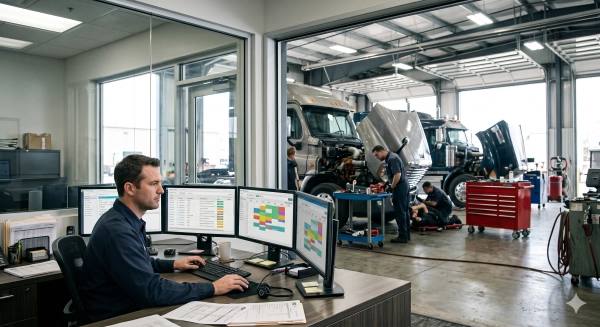
Repair shop automation refers to software, tools, and connected systems for managing daily tasks in auto, device, or equipment repair shops with reduced manual effort. Most shops already utilize automation to follow work orders, manage parts, send status updates and do billing all in one place. Staff can scan parts, log jobs and update customer records in real time, reducing errors and wait time. Shops of all sizes now utilize cloud-based systems, mobile apps, and commodity hardware, so installation is easier and less expensive than ever before. To compare choices and organize next steps, the following parts fragment essential functions, typical environments, and actual shop samples.
The Manual Workflow Trap
The manual workflow trap is what occurs when a repair shop operates with paper, phone calls and people’s heads instead of defined, easy-to-follow systems. It transforms ordinary work into a sluggish grind. Many owners feel like they run two shops at once: one that fixes cars and one that chases forms, notes and signatures.
Manual steps pile on quickly. A service advisor scribbles a job card by hand, then re-enters all of the same data into a billing tool, then annotates a separate parts spreadsheet. Every re-entry is a new opportunity for a typo, a wrong VIN, or the wrong part code. When work orders travel by hand from the front desk to the bay and back, handoffs drag. If a tech waits 20 minutes for a signed estimate, then 15 more for parts approval, those pauses add up over a week. Workshops frequently experience what appears to be a 30% decrease in actual wrench time due to the workflow stalling, not because the crew is feeble.
Disjointed tools make the burden even greater. Paper folders, email threads, chat apps, and stand-alone invoicing software all own separate fragments of the identical work. A customer calls in to inquire about their car, and the advisor has to stroll to the rear, interrogate the tech, and scour a folder for a scribbled note. That sort of pursuit manifests on the customer side as delayed responses, dropped calls, and fuzzy status reports. It grinds down employees. The tech who has to interrupt his repair to track down an answer that a communal system could display instantly loses flow and craftsmanship. In lots of shops, straightforward workflow tweaks and basic automation provide technicians a 25 percent boost in both productivity and spirits.
These inefficiencies smack of profit. Approval delays abound. Lost estimates, missed reminders, and no-shows lead to work that never comes in. Depending solely on the ancient model of walk‑ins, paper, and phone calls drives up prices for admin time and limits the number of jobs the shop can accommodate in a day. Easy automation, such as automatic service reminders, real‑time status updates, and digital estimates typically requires less than an afternoon to implement, with results apparent in a couple of weeks. Shops that begin piloting these tools now tend to hold their ground as the industry transforms, rather than struggling to keep pace when it’s too late.
How Automation Enhances Workflow
Repair shop marketing automation connects every stage of the repair process into a single transparent stream. Rather than tasks living in disparate tools and on paper, one platform connects intake, booking, inspections, work orders, billing, and follow-up. This eliminates manual tasks, reduces delays, and provides improved oversight of the workshop and front desk.
1. Initial Contact
Automation begins with intake. With online forms and digital check-in, contact, vehicle, and consent details are captured once, then stored in the shop management system. Staff don’t have to retype the same info on paper, in email, and again in a work order, which reduces duplicate entry and typical mistakes like incorrect phone numbers or license plates.
A native CRM then follows new leads, price inquiries, and booking requests in a single queue. Each request receives a status and owner, so fewer people ‘drop through the cracks’ when the front counter is busy.
Auto replies and chatbots can send an instant reply with helpful info, basic next steps, or a booking link. That quick reply establishes expectations and eliminates some back and forth. All messages, notes, and files from this first touch lay in one customer record that service advisors and technicians can access at any time.
2. Smart Scheduling
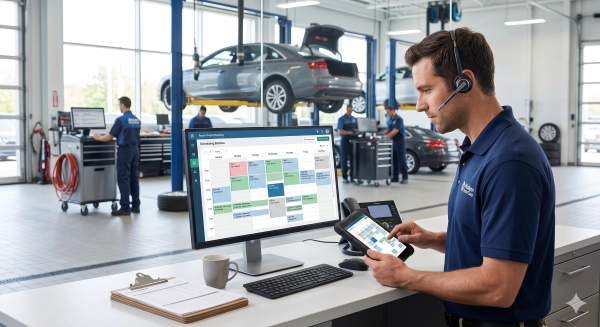
For example, online scheduling tools allow your customers to book or request times without a 30-minute phone call. A fast, mobile-friendly repair shop website makes online scheduling easier for customers while improving conversion rates from local search traffic. They can view available days and times that correspond with bay and technician availability, which minimizes conflicts and overbooking.
The service sends automated confirmations and reminders via text or email. These reminders keep people on track, reduce no-shows, and help the day run smoother.
Dynamic calendars auto-match jobs to the right bay and technician, then display upcoming work, promised times, and workloads in a single dashboard. When work scatters across paper diaries, messaging apps, and whiteboards, employees waste time and clients wait. Such defined and automated scheduling workflows help avoid these bottlenecks and provide approximately 25 percent time savings in service reception and control teams.
3. Work Orders
As soon as a client accepts an estimate, the software flips it directly into a digital work order with zero retyping of labor lines, parts, or pricing. That single maneuver eliminates a common source of billing errors. Digital inspections, labor databases, and parts sourcing all feed the estimate in the first place, which speeds approvals and makes quotes more thorough and transparent.
Tasks and canned jobs auto-assign based on skill, bay, and current load, distributing work equitably and injecting approximately 10% efficiency into technician hours. As techs clock on and off jobs, the system tracks status in real time, so advisors can provide rapid, precise updates without wandering the floor.
All repair history, parts used, photos and notes remain attached to the same workflow and customer record. This improves reporting. Labor hours, parts costs, and invoice totals trace back to each job, which gives better visibility into margins, comebacks, and productivity across the shop.
4. Technician Dispatch
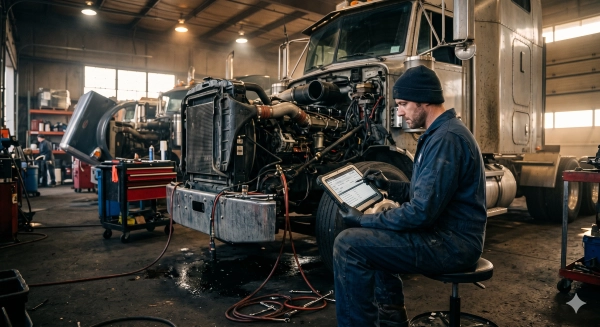
Technician dispatch tools provide every tech with a concise, prioritized job list on a tablet or phone in the bay. They view job notes, inspection items and repair steps as soon as the advisor releases the work instead of waiting at the counter. Automated alerts highlight new work, modifications, or urgent add-ons, leading to less waiting and shouting across the studio. Built-in analytics reveal completion rates, time per job and idle gaps, typically liberating around 12 additional technician hours per month by eliminating little bits of wasted time throughout the week.
5. Invoicing
When work is completed, it constructs the invoice directly off the work order with labor, parts, taxes, and discounts. This sidesteps copy-paste mistakes and cuts down on bickering at the register.
Built-in payment options enable clients to pay by card, online link, and more right within the same workflow, accelerating cash flow and eliminating chasing. Automatic reminders for unpaid invoices are sent according to schedule, so employees don’t have to keep a list on who to call each day. A complete digital record of every invoice, payment, and open balance remains in the platform, making reconciliation and reporting easy.
6. Customer Retention

CRM tools categorize customers by car type, visit, or spend, so shops can send targeted promotions or social media marketing campaigns instead of arbitrary blasts. Post-visit automatic review requests and feedback surveys create an online reputation that feeds new work over time.
With all contacts, approvals, and visit information remaining in one location, staff is exposed to trends and preferences and can modify their communication. By tying scheduling, estimates, repair orders, inspections, invoicing, and payments into one automated thread, shops eliminate loose ends and chasing. They streamline the day-to-day workflow experience and provide customers faster, more predictable service.
Beyond Efficiency Gains
Repair shop automation does more than accelerate jobs. It changes how teams communicate, how work is monitored, and how clients agree to repairs. Time, trust, and throughput sit at the center of it, and automation binds those three together in day-to-day work.
Automation tools provide the whole team transparent, shared visibility into every task. When work orders, parts requests and status updates live in one system, techs, service advisors and managers see the same facts at the same time. They flow through fixed stages, with electronic timestamps and to-do lists. This makes it simple to view who’s got a task, what’s done and what’s overdue. That sort of trace makes accountability seem reasonable and straightforward, rather than guesswork or scapegoating. It reduces repeat questions, side chats and misread notes, all of which are stress points in hectic shops. Over time, smoother handoffs and fewer mix-ups raise morale and lower burnout, because people expend more energy on the real fix, not on untangling the chaos.
Contemporary automobiles have scores of sensors and control units that bounce data back in real time. Digital workflows suit this type of work better than paper. For instance, a tech can connect scan data, photos of worn brake pads, or video of a noise right into a digital vehicle inspection. The advisor can then email that report to the customer in a neat, itemized list, frequently with good, better, best alternatives. When customers see what is urgent and what can wait, it builds trust and a sense of control. Beyond efficiency gains, many shops say they experience greater approval rates on repair estimates once they transition to digital inspections, as well as increased customer satisfaction scores and increased return visits. Once with better scheduling and less last minute job changes by year’s end, shops typically have 30 to 40 percent more throughput and up to 20 percent more gross profit, not due to upsell tricks, but due to clear consistent communication.
| Area | Impact of Automation |
|---|---|
| Internal communication | Shared digital work orders, time stamps, and checklists reduce errors and finger‑pointing. |
| Accountability | Clear task ownership and history make performance easier to track and coach. |
| Customer trust | Photo and video inspections plus status updates show proof, not promises. |
| Approval rates | Transparent reports raise acceptance of needed repairs and larger jobs. |
Choosing Your Automation Path
Choosing your automation path is about fitting tools to how the shop actually operates, not vice versa. The aim is simple: define the work and then use software to carry it with less delay, less guesswork, and fewer gaps between people and tasks.
- For example, map the workflow from first contact to invoice. Write down each step: appointment intake, check-in, inspection, approval, repair, quality check, billing, pickup, and follow-up. Identify where work stalls, where details slip through, and where customers are left waiting.
- Rank pain points by impact. Concentrate initially on friction points that generate the most delays or mistakes, commonly appointment intake and authorizations. Automating those early can reduce downtime by as much as 30 percent and accelerate critical handoffs.
- Set specific objectives. Aim for goals like reduced cycle time per job, less missed follow-ups, or a 25% increase in technician productivity. Explicit objectives assist you in selecting options and monitoring whether the new system is effective.
- Confirm team preparedness. Query how service advisors, technicians, and managers desire to operate within the software. Adoption is as critical as features. If the team turns down the tool, the path flops.
- Survey information requirements. Decide which reports matter: labor hours per job, parts cost per repair, comeback rate, and invoice totals by source. Some nice automation could connect all of this to a single workflow so you can follow the steps.
When selecting platforms, choose automotive-specific solutions that integrate scheduling, digital inspections, estimates, parts, invoicing, and light CRM all in one place. One platform eliminates double entry, reduces logins, and decreases the potential for job, parts, and billing mismatch. This type of configuration allows you to specify a single standard process and have each task adhere to it, which makes it simpler to identify where time is spent and errors arise.
Verify it can scale for more bays, users, and sites without a full change later. It must play nice with tools you already use for parts, payments, and accounting to ensure roll-out doesn’t disrupt daily work. Create a basic comparison table of each option that includes key features, monthly price per user or site, setup fees, hours for training and support, and contract length. Use that table for scoring options against your workflow and goals, not trends.
The Future of Repair
The future of repair is in how shops combine human craft with intelligent tools that eliminate guesswork, save time, and keep cars on the road longer.
AI workflow tools will be at the heart of day-to-day work. Shops already use scan tools and simple automation, but the next wave will pull live data from dozens of sensors and control units in every car and then compare it to massive data sets in seconds. AI-powered diagnostic tools will scan thousands of data points simultaneously, identify unusual patterns, and highlight potential root causes before a technician even opens the hood. AI-powered computer vision will scan parts, boards, and welds for minuscule cracks or heat markings that fatigued human eyes overlook, increasing repair quality and reducing rework. These systems won’t replace techs, but they will transform what techs do hour by hour, shifting more toward complex judgment calls and less toward manual testing and paperwork.
Predictive maintenance and IoT will drag shops out of “fix when broken” into “fix before it fails.” New cars are already streaming data on fluid temperatures, brake wear, battery health and beyond. Linked to shop software, it can trigger service reminders based on real wear, not rough mileage rules. A fleet van, for instance, could arrive a week early due to sensor data indicating a failing wheel bearing. By 2030, AI-powered mobile robots might even conduct simple on-site tasks like battery swaps, tire inspections or sensor recalibration in parking lots, which slashes downtime for private drivers and fleets alike.
Cloud platforms will unlock new business models. Shops will rely on remote AI support, AI-powered customer chat by 2026–2028, and full digital vehicle inspections that transmit photos, videos, and line-item estimates directly to a phone. Major dealers and big independents may be the first movers over the next 3–5 years. Smaller shops that come next with focused training and carefully planned rollouts can achieve the same advantage.
Your Partner in Automation
Heavy Duty Advertising provides repair shops with a defined avenue for automation by developing AI-powered marketing tools, bespoke CRM systems, and workflow configurations tailored to the daily operations of actual shops. The goal is simple: less manual work, more steady jobs in the bay, and a smoother flow from first contact to final invoice.
Heavy Duty Advertising’s chatbot tools assist in seizing work that previously fell through the gaps. A clever chat widget on your site can answer simple questions, provide status updates, and initiate bookings 24/7, even when the phones are down. That alone can reduce inbound ‘What’s up with my truck?’ calls and pick up new bookings from folks searching late at night or on weekends. Shops running this type of automation frequently experience a decrease in missed information from calls since the bot gathers crucial information in writing, not on a frenzied sticky note. In most instances, this transition can contribute to increasing technician efficiency by approximately 25% as technicians spend less time waiting for responses and more time actively working, which typically boosts both satisfaction and productivity.
On the CRM front, Heavy Duty Advertising creates transparent, traceable follow-ups so your staff doesn’t have to rely on memory or scrap paper. Service reminders, declined-work follow-ups and review requests go out automatically on a schedule that matches your workflow. A bunch of shops tell us this just makes decisions easier and keeps customer chatter in one system, not scattered across phones, email, and paper. It enhances a smoother workflow for employees and customers with quicker responses and fewer holes.
There’s a heavy-duty, fleet, and automotive repair focus at the company, so the tools are made for extended repair cycles, downtime risk, and aggressive uptime targets. Well-tuned automation can reduce downtime by thirty percent, which translates into quicker turn times, more consistent revenue, and less craziness when you get slammed. Other shop owners view it as essential to keep up as the industry evolves, liberating them from the grind of paperwork so they can concentrate on high-margin work or actual time off.
Conclusion
Repair shop work will forever demand sharp hands and sharp minds. Automation doesn’t change that. It just eliminates the tedious junk. There is less clicking, less guess work, and fewer late calls and lost jobs.
Shops that introduce smart tools today get the advantage. They have faster check-in, transparency in pricing, clear worksheets, and easy inventory clicks. There is a direct connection from the front desk to the bay. Employees dedicate more time to hard fixes, not redundant paperwork.
Every shop can begin small. A simple job board, easy text reminders, and a lean stock screen. Bit by bit, the tools evolve along with the shop.
Choose a single pain point in your shop and test a tool that eases it this month.
Frequently Asked Questions
How does automation improve daily workflow in a repair shop?
Automation eliminates manual data entry, standardizes intake and tracks jobs in real time. It minimizes mistakes, accelerates authorization, and keeps repairmen repairing instead of filling out forms. This results in more streamlined operations, less friction and more predictable customer experiences.
What tasks can be automated in a repair shop?
These tasks typically consist of job intake, work orders, scheduling, parts ordering, inventory tracking, estimates, invoicing, and customer updates. Most shops automate reminders, follow-ups, and simple reporting to understand performance and profitability.
Is repair shop automation only for large businesses?
No. Smaller and medium repair shops usually gain the most. Automation enables lean teams to process more jobs without adding overhead. It can be simple to start and scale with the business and is suitable for essentially any shop size.
How does automation impact customer satisfaction?
Repair shop automation accelerates responses, keeps customers in the loop, and cuts errors on estimates and invoices. Transparent, proactive communication and realistic timelines create trust. This tends to result in increased happiness, loyalty, and positive feedback.
What should I look for when choosing an automation solution?
Prioritize user-friendliness, compatibility with your current software, mobile accessibility, customer support, and transparent pricing. Seek out features that fit your workflow, like job tracking, inventory, and customer communication. Nothing compares to a free trial or demo to help confirm the fit.
Does automation mean fewer jobs for staff?
Not typically. Automation eliminates tedious manual labor, allowing staff to concentrate on skilled work, provide customer service, and focus on higher value projects. Most shops apply automation to increase capacity and revenue, not eliminate jobs.
How will automation shape the future of repair shops?
Automation will help make repair shops more data-driven, transparent, and customer-centric. Shops will lean more on real-time job tracking, predictive maintenance insights, and digital communication. Early adopters of automation often experience a competitive advantage in speed, accuracy, and service quality.
Not what you were looking for? Here are some of Heavy Duty Advertising’s top services:
HeavyDutyAdvertising.com specializes in helping automotive and heavy-duty repair businesses improve online visibility through:
Website Design and Development
Heavy Duty Advertising’s Top Guides on Improving Google Rankings:
Google’s Guide on Improving Local Ranking